CapCut
About CapCut
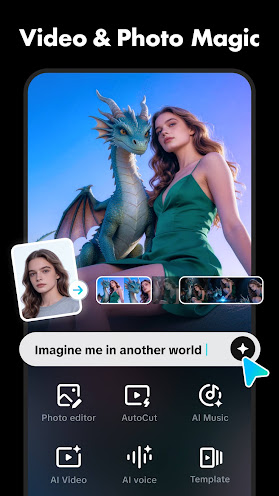
CapCut is a capable video editing application that offers a serious collection of features and tools, making a video editor’s life much easier. Thanks to everything this Android app offers, users can easily edit videos on the fly, straight on their mobile devices. There’s no other piece of software like this one. Just by the sheer number of users CapCut has, I don’t think it has a rival on the Android platform.
This software does not require a user account to use its features. However, if you plan to upload edited videos straight to TikTok, for example, it is a good idea to add your TikTok account inside the app’s interface. So, what exactly does this app do? First of all, you can perform simple adjustments to videos, like changing saturation, brightness, and more. This feature comes in handy if you are working on a video with poor lighting and washed-out colors. In addition, the application also brings a collection of stickers you can apply to your videos.
Another key feature of CapCut is the ability to add animations, customized backgrounds, sounds, filters, masks, music, and transitions for text and images. By adding these elements to a video, the end product is going to look better, sound better, and have an overall polished look that’s going to be appreciated by your friends, relatives, or social media fanbase.
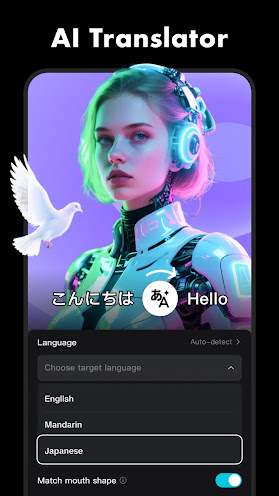
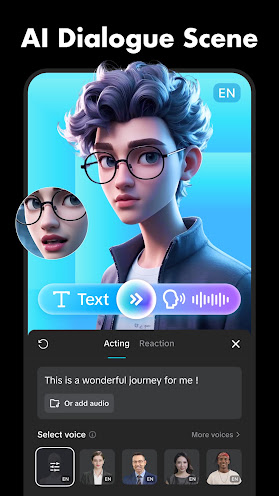
Moreover, this Android app also brings a built-in text-to-speech module. We can leverage this component to convert words into their audio equivalent in more than 90 languages. Plus, if this feature is not enough, CapCut also contains a video translator and even a voice changer. Since these tools are powered by AI, privacy is a must. CapCut guarantees the safety of any uploaded data via its powerful data encryption.
Once you are done editing your video, the next obvious step is to save the video on the mobile device’s storage. The default setting is to export the video at 1080p resolution and 30 frames per second. Of course, you can change these settings if you are not happy with them. Save the video at a lower resolution, like 720p or 480p, especially if you are tight on storage space on your smartphone or tablet. You can also export your videos at a higher resolution.
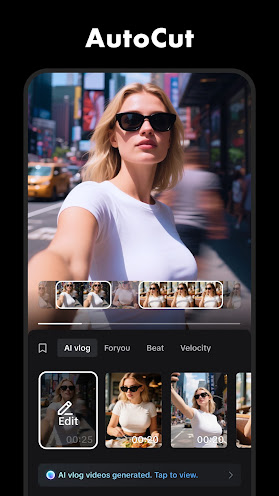
Not every smartphone user is well-versed in editing videos. CapCut comes with a bunch of free templates, making video editing much easier, even for experienced users. We can take advantage of these templates each time we want to create memes, collages, AI videos, and much more. Furthermore, we can learn how to utilize the app’s features properly by following the included tutorials. These tutorial videos are short, and they stay on point, allowing us to learn about this software’s features, how to apply them, and when to use them.
In conclusion, CapCut is the best tool, at the moment, for editing videos on the Android platform. It brings tutorials, free templates, AI functions, and other components very useful for making videos look more attractive.